The desk
The desk is the shop’s working screen. It shows who is being served and who is next, and it refreshes on its own.
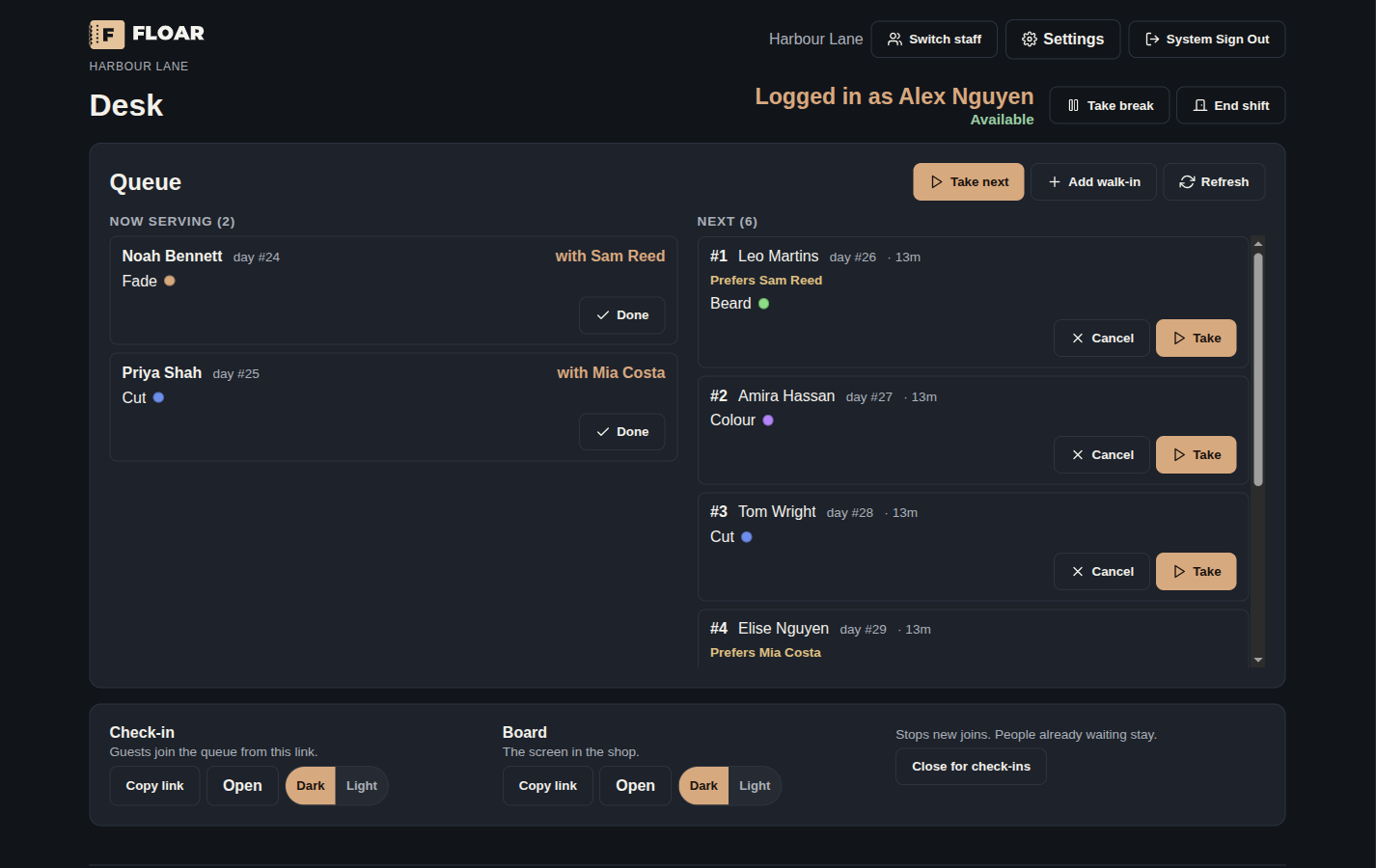
On a normal screen those two lists sit side by side. On a narrow screen they stack. Each ticket shows the guest, the service and its colour, and the actions for that row.
From the desk, staff can:
- Take the next waiting guest, or take a chosen guest. More than one chair can be serving at once. The row shows who is serving them.
- Mark a ticket done or cancelled.
- Add a walk-in who is already in the shop. The form uses the same country phone rules as guest check-in, and a large service field.
- Copy the check-in link and the board link. Those links sit under the queue, out of the way of the lists.
- Close check-in for the location, when their security group allows it.
- Clock in, take a break, and end a shift. Take break and End shift sit on the same row as the name of the person who is working.
After Take or Take next, the desk returns to the name list and leaves a short note for the next person who signs on.
A light or dark button sits with the language control. That choice is for the desk on this browser. Check-in and the board have their own appearance, set from the links card under the queue and from Settings. The first visit uses dark.
What a person can open depends on their security group. The owner sets those groups in settings. See Staff and the clock.