Lobby board
The board is a full-screen page for a TV in the shop. It uses the location’s name, colours, and logo address.
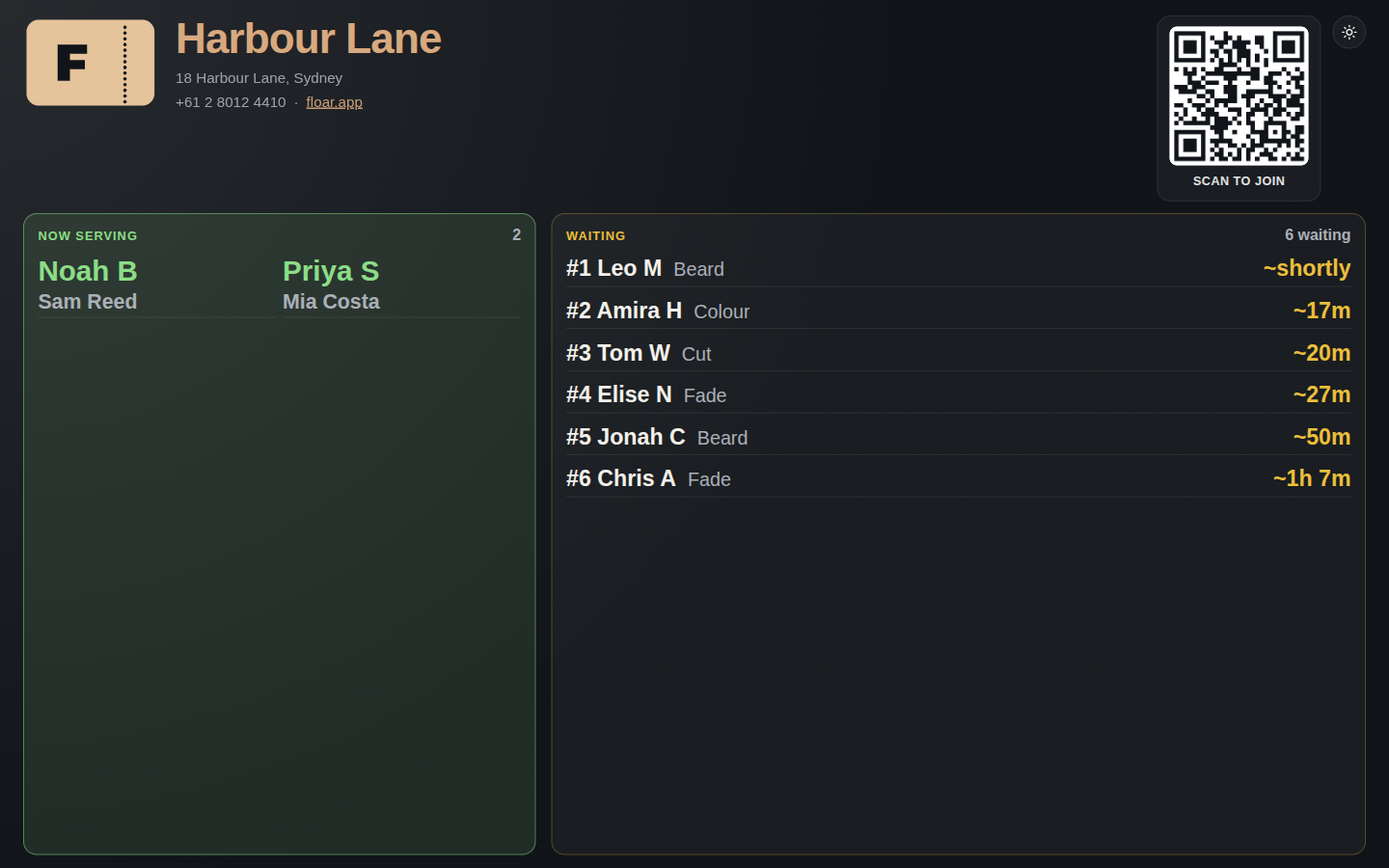
Names are shortened for the room: first name and last initial. A single name is left as given.
The board splits people being served from people waiting. Each ticket shows a wait that counts down. When the list is longer than the screen, the board pages through it instead of scrolling in a marquee. Place numbers stay in order.
The board can show the check-in QR so a guest in the shop can open the same join link.
The shop sets light or dark for the board from the desk links card and from Settings. Every screen showing this board follows that choice. The button in the board header can change this screen until the shop saves a different one. The QR itself stays dark on white so it still scans.